Install Filee: Windows, macOS and Linux setup guide
Pick the right package, install it, and check that Filee is running before you try a conversion.
On this page
Choose your package before downloading
Get Filee from the official GitHub Releases page. Filee is free software under the MIT license. This wiki does not distribute installers. The release checked for this guide is 1.12.0, published October 19, 2026. The latest-release link may point to a newer version when you visit.
| Your computer | Official package | Requirement and status |
|---|---|---|
| Windows | win-Setup.exe or win-Portable.zip |
Windows 10 or 11 |
| Apple Silicon Mac | osx-arm64.tar.gz |
macOS 14 or later; preview |
| Intel Mac | osx-x64.tar.gz |
macOS 14 or later; preview |
| Linux on Intel/AMD | linux-x64.tar.gz |
Ubuntu 22.04 or later; preview |
| Linux on ARM | linux-arm64.tar.gz |
Ubuntu 22.04 or later; preview |
Read the release notes as well as the filename. A preview package can have platform-specific rough edges. The project publishes SHA256SUMS files beside its packages; use the checksum for the exact package you downloaded if you verify the archive.
Windows: installer or portable
Use the Setup package for installation options such as the Explorer menu, launching at sign-in, the filee terminal command and optional engines. Run the installer from the official release and review each option. If you want command-line conversion, keep the PATH option enabled. Open a new terminal afterward and run filee version; a terminal already open may still have the old PATH.
For a portable copy, extract the entire win-Portable.zip archive and run Filee.exe inside it. Keep its companion files together. Running an executable straight from an unextracted archive is a poor test of the portable package.
Filee's README currently says Windows releases are waiting for their signing certificate. A SmartScreen warning therefore needs a source check: confirm you used KnifeLemon/Filee's official release, inspect the package and checksum, and read the current signing notice. A warning on an unrelated download is not evidence that it is safe.
macOS: match the processor
Choose arm64 for Apple Silicon or x64 for an Intel Mac. Extract the archive, open a terminal in the extracted directory, and follow the package's ./install.sh instructions. The README requires macOS 14 or later and labels these builds preview.
The macOS package is not notarized. The project documents the first-launch Open Anyway control in System Settings, Privacy & Security. Check the source before using that control. Do not disable system security globally or use a random repackaged download to avoid the warning.
Linux: check the desktop session
Choose x64 or ARM64 to match the computer, extract the package and run ./install.sh as your normal user. The documented installer needs Python 3 and does not require root. Release 1.12.0 restores compatibility with Ubuntu 22.04 and newer.
The session type matters after installation: global drag gestures need X11. On Wayland, use Filee's drop zone or your file manager's right-click menu. Installing again will not turn a Wayland session into X11.
Finish with a small, ordinary file
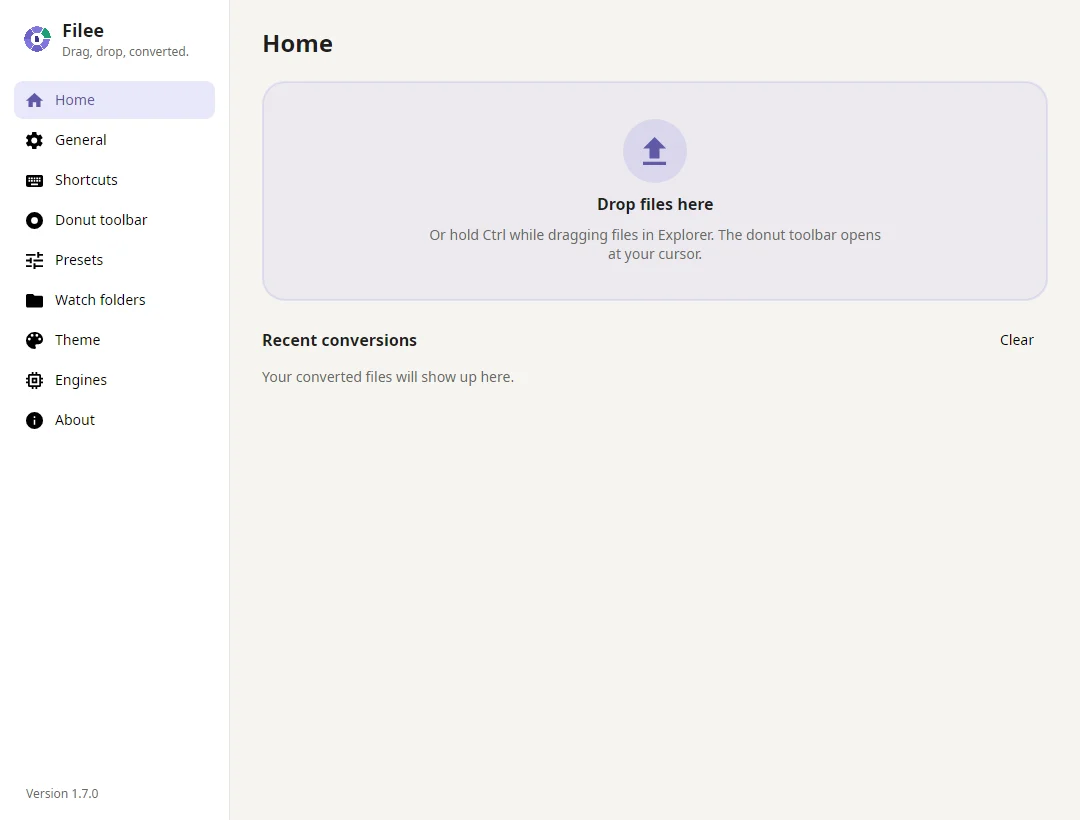
Open Filee and check the Home screen. Start with a copy of one PNG or JPG in a writable folder. Use the drop zone first; it separates a conversion problem from a global gesture problem. Follow the first conversion guide to inspect the output.
Open Settings, Engines when a conversion requests an additional component. Video and audio use optional FFmpeg; other formats have different requirements. The format and engine reference explains what to install for your task. Download engines while online before you expect to work offline.
If Filee will not start, record the package name, operating-system version and Filee version before checking troubleshooting. These instructions are based on the project's documentation; this wiki does not claim an installation test on every listed system.
Updating a portable copy with Scoop
The Reddit launch thread includes a request to make portable updates easier. The developer later confirmed Filee in Scoop's extras bucket, and the official project tracks it in issue #114. For users who already use Scoop, the documented commands are:
scoop bucket add extras
scoop install filee
scoop update filee
The first two set up the package; the last updates an existing installation. This is an option for an existing Scoop workflow, not a requirement to install another package manager just to try Filee. The developer says settings and downloaded engines remain in their AppData locations. Keep your normal backup practice and do not assume the word portable means every preference is stored beside the executable.
Can I use a work computer without administrator rights?
The official site distinguishes the Windows installer from the portable ZIP: Setup needs installation approval, while an extracted portable copy can run without that install step. A managed computer may still restrict executables or downloads. Follow its administrator's policy rather than disabling protection. Optional engines also need disk space and network access for their initial setup.
If a third-party post says Filee supports 180 or 230 formats, check its date. The current 1.12.0 documentation lists 244 readable formats, not 244 arbitrary output pairs. The exact source-to-target route matters more than a headline count. Continue with formats and engines after installation.